

The holidays are here. Customers are searching, browsing, and ready to buy. But here's the uncomfortable question: is your website ready for them?
For many small businesses, the holiday season accounts for a make-or-break portion of annual revenue. 93% of small businesses say holiday sales are vital to their success. Yet when shoppers click through to a slow, broken, or confusing website, they don't wait around.
Here's a quick checklist to make sure your website helps you capture your share of the holiday rush—instead of sending customers elsewhere.
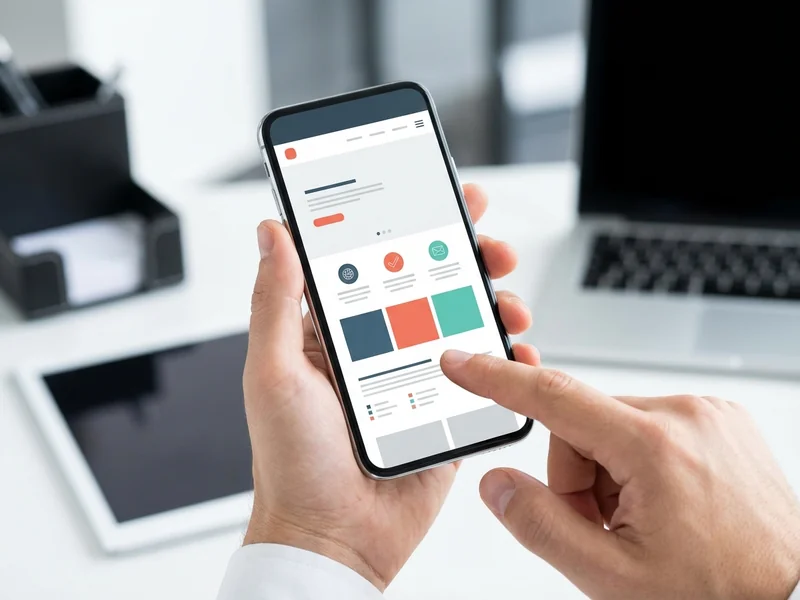
1. Test Your Site on a Phone
This is non-negotiable. 70% of holiday shopping traffic during peak days comes from mobile devices. If your website doesn't work perfectly on a smartphone, you're turning away the majority of your potential customers.
Pull out your phone right now. Load your website. Does it look right? Can you read the text without zooming? Do buttons and links respond to a tap? Can someone find your phone number or location in under three seconds?
If anything feels awkward, confusing, or slow on mobile, fix it now. Shoppers won't struggle through a bad mobile experience—they'll just find a competitor whose site actually works. (For a complete mobile checkup and more website health tests, see our 15-minute website checkup guide.)
2. Check Your Load Speed
How long does it take for your homepage to fully appear? Three seconds? Five? Ten?
Here's the problem: About 53% of users will abandon a page if it takes longer than three seconds to load. That's half your potential customers gone before they even see what you offer.
Test your speed at different times of day, on different connections. If your site feels sluggish, large images are usually the culprit. Compress photos, remove unnecessary files, and simplify your design. Every second counts during the holidays. (Learn more about what makes websites fast and why Google cares.)

3. Verify Your Contact Info Is Current
There's nothing worse than a customer ready to buy or visit, only to find outdated hours, a disconnected phone number, or an old address. Double-check everything:
- Holiday hours—are they posted clearly?
- Phone number—does it connect to the right line?
- Address—is it accurate and easy to find?
- Email—does someone actually check it during the rush?
When customers can't reach you, they don't try again. They move on to someone who's easier to do business with.
4. Make Your Call-to-Action Impossible to Miss
What do you want holiday visitors to do? Call you? Visit your store? Schedule an appointment? Buy online?
Whatever it is, make it obvious. A big, clear button or link that says "Call Now," "Visit Us," "Get Directions," or "Book Online" should be visible within seconds of landing on your site.
Don't make visitors hunt. They won't.
5. Update Your Holiday Promotions
If you're running holiday specials, gift bundles, or extended hours, put them front and center on your website. A banner, a popup, or a featured section on your homepage works well.
But here's the key: take down expired promotions immediately. Nothing says "nobody's home" like a website still advertising "Black Friday Sale" in December. It makes your business look neglected—and that's not the message you want to send during the busiest shopping season of the year.
6. Check Your Photos and Images
Holiday shoppers are visual. They want to see what you offer before they visit or buy. Do your product photos, storefront images, or service examples look professional and inviting?
Make sure images load quickly and display correctly on both desktop and mobile. Broken image links or stretched, pixelated photos send the wrong signal. Your website is your digital storefront—keep it looking as polished as your physical one.
7. Test Your Forms (If You Have Them)
If you use contact forms, appointment requests, or online orders, test every single one. Submit a test entry. Does it go through? Do you receive it? Does the customer get a confirmation?
A broken form doesn't just cost you one sale—it tells the customer your business isn't paying attention. That's a hard impression to fix.
8. Make Sure Your Site Looks Professional
First impressions happen fast. 94% of first impressions are design-related, formed in about 0.05 seconds. Before a visitor reads a single word, they've already judged your business based on how your site looks.
Does your website look current and trustworthy? Or does it look like it was built a decade ago and never touched since? You don't need fancy animations or trendy design—just clean, simple, professional. Think of it this way: your website is often the first interaction someone has with your business. Make it count.
9. Consider Adding a Gift Guide or Holiday Landing Page
If you sell products, create a simple gift guide page organized by recipient, price range, or category. If you offer services, highlight gift cards or holiday packages.
This makes it easy for time-pressed shoppers to find what they need quickly. The easier you make it, the more likely they are to buy from you instead of scrolling through Amazon for another hour.

10. Plan for Last-Minute Shoppers
The week before the holidays is frantic. People who procrastinated are now desperate. Be the business that saves them.
Clarify your shipping cutoffs, your in-store pickup options, and your availability for services. Consider a "last-minute gift" section or extended hours banner. Desperate shoppers are loyal shoppers—if you come through when they need you most.
The Good News
Here's something encouraging: most websites have issues with this stuff. 65% of major retail websites fail basic mobile performance tests. And these are big companies with big budgets.
That means if you get the basics right—mobile that works, fast loading, clear information, easy ways to reach you—you're already ahead of most of the competition. (Speed is one of the key reasons websites don't show up on Google, so fixing it helps with holiday shoppers AND long-term search visibility.)
What If You Don't Have Time for This?
I get it. You're running a business. It's the holidays. You're swamped. The last thing you need is another project.
But here's the reality: your website is either working for you this holiday season, or it's working against you. There's no middle ground.
If this checklist feels overwhelming, or if your website needs more than a quick tweak, that's okay. Not every business owner should be their own web person. You're busy doing what you do best.
What YouGrow Does Differently
YouGrow builds professional, fast-loading websites for small businesses here in San Luis Obispo County. For $99/month, we handle everything—design, hosting, updates, security, all of it.
You never log into a dashboard. You never learn a system. You just email or call when you need something changed, and we take care of it. Most updates happen within one business day. See how our process works.
We're based in Arroyo Grande. We're your neighbors. Learn more about us—we'd rather help you capture more holiday sales than watch you lose customers to a slow, broken website. See all features included.
If you'd like to see what a website that actually works looks like, or if you just want someone to look over what you have and tell you what's what—give me a call at 805-439-6288. I'm happy to help.