

You built a Wix site. It's live. It works. People can find you online, see what you do, maybe even contact you. So why would you ever switch to something else?
That's a fair question. If your site is working, nobody's saying you need to tear it down today.
But there are real problems that tend to emerge over time—things you might not notice until they're already costing you business.
The Speed Problem You Might Not See
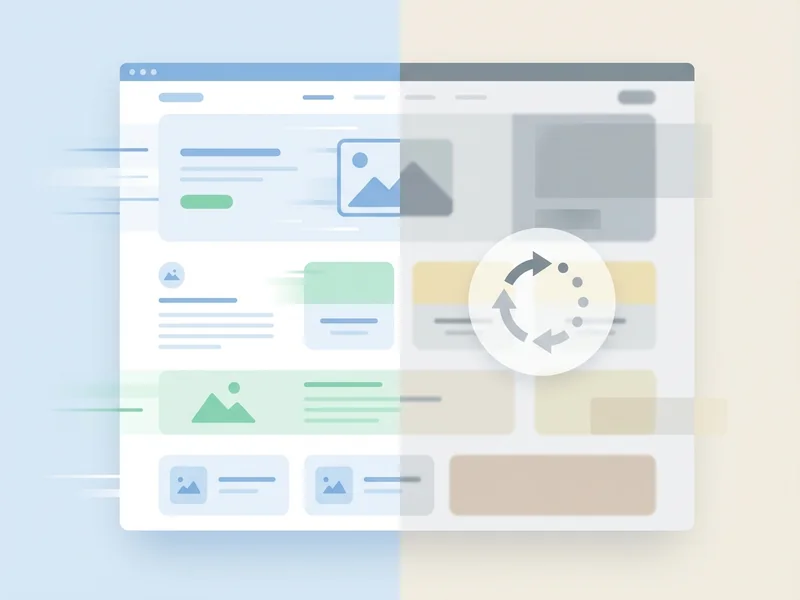
Here's the thing about Wix sites: they load. Eventually. But when you're inside the editor, everything feels snappy enough. You don't notice the drag.
Your visitors notice.
We cover this in depth in our guide to website speed—but the short version is that every second of load time costs you customers.
53% of people leave a page if it takes longer than three seconds to load on their mobile devices. And that's not an exaggeration—people are impatient.
Even worse, a tiny two-second delay means your bounce rate increases by 103%. That's not just a few people leaving. That's double the people leaving.
Wix sites rely on heavy JavaScript and lots of separate files. All that code has to load before your visitor sees anything. Fast internet? You might not notice. But your customers on mobile? They feel it.
The 'Good Enough' Trap
I see this all the time. A business owner builds a Wix site five years ago. It looked fine then. They've been paying $20-30/month ever since, updating their hours once in a while, and that's it.
But here's what happens:
- Competitors upgrade: Other local businesses get modern, fast websites
- Google changes: Search engines keep raising the bar for what ranks
- Expectations shift: Customers now expect sites to load instantly and look great on phones
Your site that was "good enough" in 2020? It's looking dated in 2026. And the gap keeps widening.
The problem with "good enough" is that it quietly becomes "not good enough." And by then, you've lost customers you never knew you had.
The Time Sink You Didn't Sign Up For
Remember when Wix advertised "easy website building"? Maybe it was. Maybe you spent a weekend dragging things around until it looked okay.
But then you needed to update a photo. Change your pricing. Add a new service. Fix something that broke after an update.
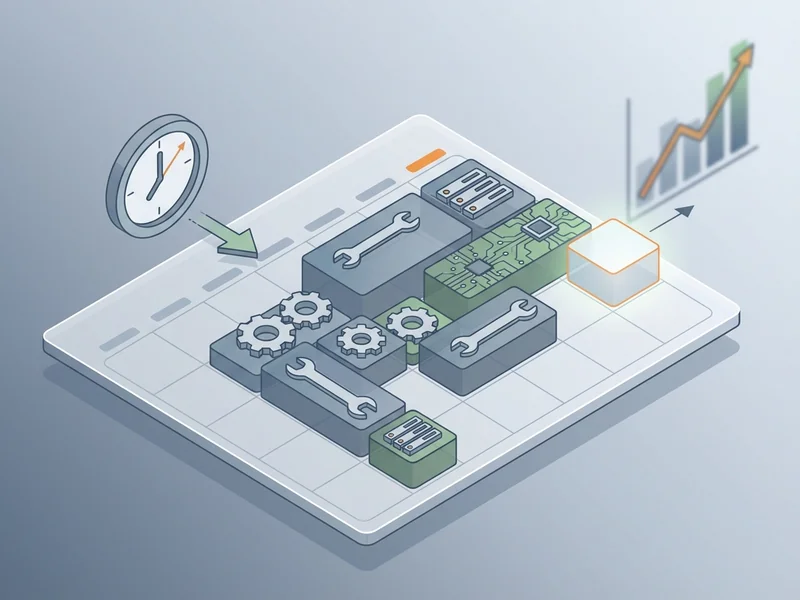
As we discuss in Why Your DIY Website Might Be Costing You Customers, industry research shows that small business owners spend 2-4 hours per week just on technical website maintenance—troubleshooting issues, fixing broken things, updating plugins. That's not even content updates. That's just keeping the lights on.
Add another 3-5 hours weekly for actual content updates. Suddenly your "easy" website is a part-time job.
How much is your time worth? What could you do with those extra hours every week—serving customers, growing your business, or just having your weekends back?
The Locked-In Feeling
Here's something most people don't realize until they try to leave: you can't really export a Wix site.
Leaving Wix means you have to rebuild your website completely from scratch. All that content, all those pages—you're copying and pasting into something new.
That's not an accident. It's how they keep you.
And Wix isn't unique here. Most website builders work the same way. They make it easy to start, hard to leave. You're not just choosing a platform—you're marrying it.
What happens in three years when you've outgrown what Wix can do? When you need features they don't offer? When your business has evolved and your site can't keep up?
Starting over gets harder the longer you wait.
When Your Business Outgrows the Template
Website builders are built for basic sites. Home, About, Services, Contact. Maybe a photo gallery or a simple booking form.
That works for plenty of businesses. Until it doesn't.
When do you outgrow Wix?
- You need complex features: Custom booking systems, client portals, specialized functionality
- You're scaling up: Dozens of pages, hundreds of products, complex navigation
- Performance matters: You're getting traffic but losing people to slow load times
- SEO is crucial: You need to rank for competitive local terms and basic SEO isn't cutting it
Website builders have scalability limits—they're great for a 5-page hobby site, but they struggle when your business gets serious.
The problem? By the time you realize you've outgrown the platform, you're already losing business.

The Price Creep
Wix's advertised prices look pretty good. But like any subscription service, the real cost tends to creep up over time.
Costs can increase for existing users—promo rates end, prices go up, and suddenly that $20/month plan is $35 or more. We break down all the hidden costs in The Hidden Costs of 'Free' Website Builders.
Plus, you start realizing you need extras:
- Premium apps to do what you actually need
- More storage for photos and videos
- Better features that aren't included in your plan
- Domain fees and add-ons that weren't obvious at signup
You're not paying $20/month anymore. You're paying $40, $60, sometimes more. And you're still doing all the work yourself.
When Does Staying Put Make Sense?
I want to be honest here. Not everyone needs to switch from Wix. If your situation is any of these, staying put might be the right move:
- Budget is extremely tight: Even our managed service pricing is a stretch right now
- Your site is truly minimal: A few pages, rarely updated, and it's working fine
- You enjoy the DIY aspect: You genuinely like tinkering with your site
- You have plenty of free time: Website maintenance doesn't take you away from important work
But if you're reading this article, I'm guessing that's not you. You're probably feeling the pain already—you just didn't realize switching was an option.
Have other questions? We answer common questions here.

What Switching Actually Looks Like
So you've decided Wix isn't cutting it anymore. What happens next?
Here's the honest truth: yes, there's some work involved in switching.
We need to:
- Gather your content from your existing site
- Choose a design that fits your brand
- Build your new site (usually 3-7 days)
- Launch it, including setting up your domain properly
But here's what you don't do:
- You don't log into any editor or dashboard
- You don't wrestle with templates or drag-and-drop tools
- You don't troubleshoot broken plugins or updates
- You don't worry about hosting, security, or backups
We handle all of that. And going forward? You email or call when you need something. That's it.
What YouGrow Does Differently
I built YouGrow exactly for people in this situation—business owners who need something better than DIY but don't need (or can't afford) an agency.
$99/month. Everything included:
- Fast-loading websites (no bloated JavaScript slowing you down)
- Website Changes—you email or call, we handle it
- Hosting, security, backups, SSL—we keep your site safe and running
- Accessible from day one (works for all your customers)
- Month-to-month, no lock-in.
- Month-to-month, cancel with 30 days’ notice
And we're not some faceless company. We're based right here in Arroyo Grande. Call 805-439-6288 and you'll talk to me—a real person who cares about your business.
Your new site goes live in days, not weeks. And from then on, we handle everything. Forever.
Ready to stop fighting your website? Let's talk about what switching could look like for you.