

You built a website. Maybe you paid a few thousand dollars for it. Maybe you spent weekends building it yourself.
Now it sits there. You're not really sure if anyone's finding it through Google. You're definitely not getting calls from it.
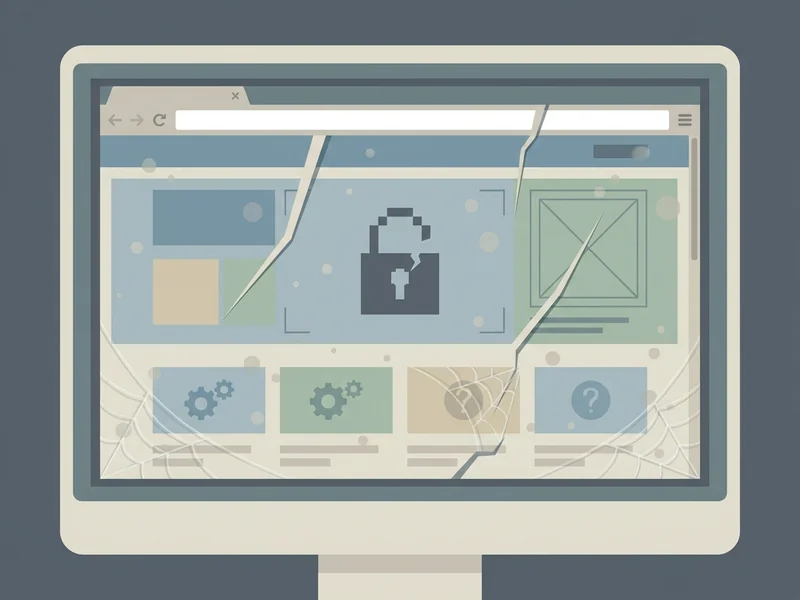
Here's the uncomfortable truth: your website might actually be hurting your chances of showing up in search results—and you'd never know it.
Why Google Rankings Matter for Local Businesses
Let's start with why this matters.
When someone searches for a service you offer—"plumber near me" or "best chiropractor in Arroyo Grande"—Google decides who shows up. If you're not on the first page, you might as well not exist.
The numbers are stark: the #1 result on Google gets 39.8% of all clicks. The second result? 18.7%. By the time you're at position 10, you're down to a measly 2.5%.
And if you're on page two? Only 0.63% of users ever click there. That's less than 1 in 100 searchers.
Here's the kicker: 96.55% of all web pages get zero traffic from Google. Your website might be one of them.

Warning Sign #1: Your Website Takes Forever to Load
Pull out your phone. Open your website. Count to three.
Is it fully loaded? If not, you have a problem.
53% of mobile users will leave a page that takes more than 3 seconds to load. They're gone before they even see what you offer.
And it gets worse: Google's own research shows the likelihood of someone leaving increases by 32% when load time goes from 1 second to 3 seconds. At 5 seconds? 90% will bounce.
Google notices this. When visitors immediately leave your site, it signals that your page isn't giving people what they want. Over time, that pushes you down in search results. (We explain exactly what makes a site fast in What Makes a Website Fast and Why Google Cares.)
The fix isn't always obvious. It might be oversized images. A bloated website builder. A slow web host. Or a site built on a system with dozens of unnecessary plugins.
Warning Sign #2: Your Site Looks Broken on Phones
Mobile devices now account for 60% of all web traffic. More than half of your potential customers are looking at your website on a phone, not a computer.
If your site isn't mobile-friendly—if text is too small to read, buttons are too hard to tap, or you have to pinch and zoom to see anything—you're losing those visitors. And you're telling Google that your site doesn't provide a good experience.
Google has been using "mobile-first indexing" for years now. That means they look at the mobile version of your site first when deciding how to rank you. If your mobile experience is bad, your rankings will suffer—even if your desktop site looks fine.
Test this yourself: look at your website on your phone. Can you easily find your phone number? Can you tap to call? Can you read everything without zooming? If any answer is "no," that's a problem.

Warning Sign #3: You Don't Have HTTPS (The Padlock)
Look at your website address. Does it start with "https://" with a little padlock icon? Or just "http://"?
That "s" stands for "secure." Without it, browsers like Chrome will actually warn visitors that your site is "Not Secure." That warning alone will send people running.
84% of users will avoid websites that lack a secure connection. They won't fill out a contact form. They won't call. They'll just leave.
Google has made HTTPS a ranking factor since 2014, and they've only gotten stricter since. Today, more than 95% of the top-ranking websites use HTTPS. If you're still on HTTP, you're competing with one hand tied behind your back.
The good news: SSL certificates (what makes HTTPS work) are free now through services like Let's Encrypt. Any decent web host or developer should set this up automatically. If yours didn't, that's a red flag about the overall quality of your website.
Warning Sign #4: You're Failing Google's "Core Web Vitals"
Google has a specific set of measurements they call "Core Web Vitals." These measure how fast your page loads, how quickly it becomes interactive, and how stable the layout is while loading (you know that annoying thing where buttons move right as you try to tap them?).
Here's the reality: 75% of mobile websites fail to pass Google's Core Web Vitals. Most sites are underperforming, and most site owners have no idea.
Why does this matter? Sites that pass Core Web Vitals tests rank 28% higher on Google than those that fail. That's a significant advantage you might be missing.
You can check your own site for free using Google's PageSpeed Insights tool. Just enter your website address and it'll tell you exactly where you stand—and what needs fixing. (For a quick DIY audit, see The 15-Minute Website Checkup.)
Warning Sign #5: Your Content is Outdated or Thin
When's the last time you updated your website? If your "latest news" is from 2022, or your services page lists something you stopped offering years ago, Google notices.
Search engines prefer fresh, accurate content. They want to show users information that's current and helpful. A website that clearly hasn't been touched in years signals the opposite.
Beyond that, "thin content" is a ranking killer. If your service pages are just a paragraph each, or if every page on your site says essentially the same thing, Google has nothing to work with. There's not enough substance to understand what you do or why someone should choose you.
This doesn't mean you need to write a novel. But each important page should have enough real information that someone could actually learn something from it. Describe what you do, who you help, and what makes you different—in your own words, not generic marketing speak.
Warning Sign #6: You Can't Find Yourself When You Search
Try this: open a private/incognito browser window (so your search history doesn't influence results) and search for your business name.
Do you show up? If not, that's a major problem—Google might not even know you exist.
Now search for what you do plus your city: "electrician Grover Beach" or "accountant San Luis Obispo." Are you anywhere in the results?
If you're not appearing for your own business name, your site might not be indexed properly. If you're not appearing for your services, you're either not ranking well or your site doesn't clearly communicate what you do.
Check Google Search Console (it's free) to see if Google is actually finding and indexing your pages. You might discover errors you never knew existed.
The DIY Reality Check
At this point, you might be thinking: "Great, more technical stuff I don't have time for."
And you're right. Most small business owners didn't get into their field to become SEO experts. You have customers to serve, bills to pay, and a business to run.
You have a few options:
Do it yourself: Learn about page speed optimization, Core Web Vitals, mobile responsiveness, SSL certificates, and content strategy. It's all doable—if you have the time and interest. For most business owners, that's a big "if." (And as we covered in Why Your DIY Website Might Be Costing You Customers, the hidden costs add up.)
Hire someone to fix it: Find a developer or agency to audit your site and make improvements. This can work well, but expect to pay hourly rates every time something needs updating. And you'll need to know enough to evaluate whether they're actually helping.
Get a website that's managed from the start: Instead of building a site and hoping it stays healthy, work with someone who handles all of this ongoing—the speed, the security, the updates, the technical stuff. You focus on your business; they focus on your website.
The third option wasn't practical for most small businesses until recently. But the landscape is changing.
What YouGrow Does Differently
At YouGrow, we build websites specifically designed to avoid these problems from day one:
- Fast by default: Our sites load in under 2 seconds—well within Google's "fast" threshold—because we don't use bloated website builders or unnecessary plugins.
- Mobile-first: Every site works beautifully on phones because that's where most of your customers are looking.
- Secure always: HTTPS is standard. Our sites are secure by design—no databases to hack, no plugins with security holes.
- Built accessible: We build accessible from day one to welcome every customer, regardless of ability.
- Content that stays current: When you need something updated, you email or call. We handle it within a business day. No CMS to log into, no dashboard to figure out.
We don't just build your site and disappear. We manage it forever—keeping it fast, secure, and up-to-date so you can focus on what you're actually good at: running your business. See all our features or learn how it works.
Is Your Website Working for You or Against You?
Your website should be bringing in customers, not driving them away. If any of the warning signs above sound familiar, it might be time for a change.
At YouGrow, we build and manage professional websites for SLO County small businesses—$99/month, everything included. Month-to-month, no lock-in. Month-to-month, cancel with 30 days’ notice. We're based right here in Arroyo Grande.
Get Your Website or call 805-439-6288 to talk about what you're dealing with.
Onur builds and manages websites for SLO County small businesses at YouGrow.pro. Based in Arroyo Grande. $99/month, everything included.